
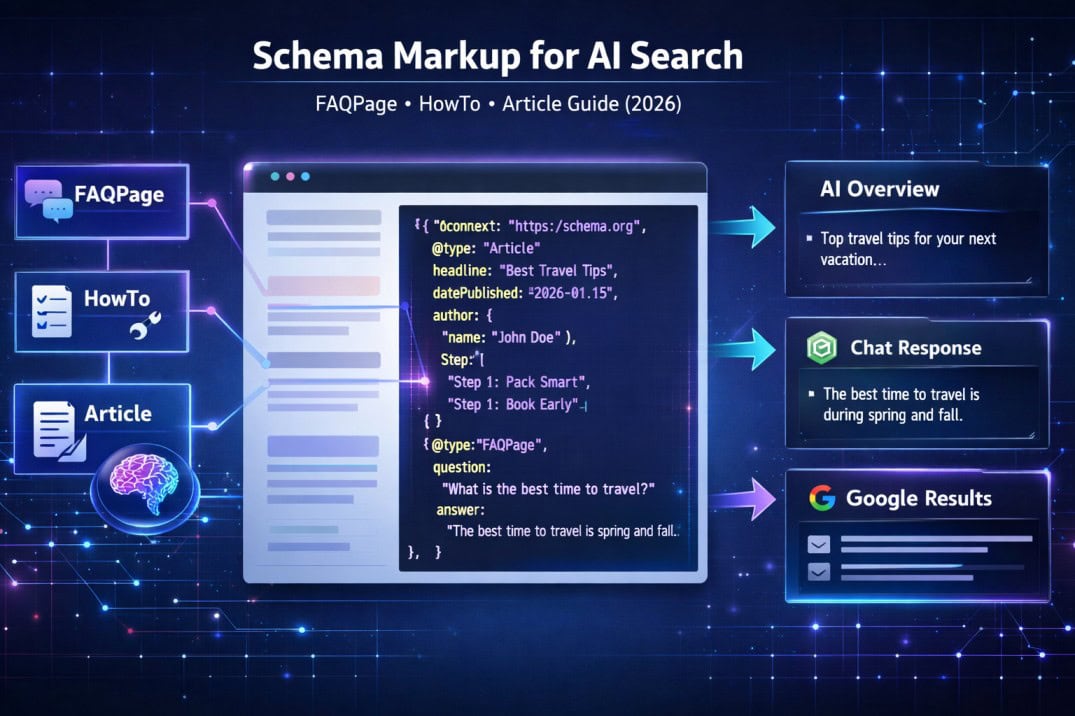
Published on DigitalTechMainia.org | Updated March 2026 | 4,200-word comprehensive guide
Introduction: Why Schema Markup Is Now an AI Survival Strategy
Search is no longer just about ranking on page one. In 2026, the real prize is appearing inside an AI-generated answer — the kind that Google AI Overviews, ChatGPT, Perplexity, and Gemini serve to millions of users every day without requiring a single click to your website.
Here is the problem most website owners are ignoring: AI models do not read your content the same way humans do. They parse structure, extract patterns, and prioritize content that is clean, well-labeled, and machine-readable. Schema markup — specifically JSON-LD structured data — is one of the most direct signals you can send to both search engines and AI systems to say: “This content is authoritative, well-organized, and worth quoting.”
According to Google’s official Search Central documentation, structured data helps Google understand your page content and present it more prominently in Search results, including rich results, featured snippets, and AI-generated summaries (Google, 2025). Yet a 2024 study by Semrush analyzing 1 million URLs found that only 33% of pages ranking in the top 10 use structured data — meaning the opportunity for those who implement it correctly is enormous.
This guide covers everything you need to know about implementing FAQPage schema, HowTo schema, and Article schema to make your content eligible for Google AI Overviews, Featured Snippets, People Also Ask boxes, and direct AI citations across ChatGPT, Claude, Gemini, and Perplexity.
What Is Schema Markup?
Schema markup is a standardized vocabulary of HTML tags — defined at Schema.org and jointly maintained by Google, Microsoft, Yahoo, and Yandex since 2011 — that allows you to annotate your web content with machine-readable labels.
In plain terms: schema markup tells search engines and AI models exactly what your content is, not just what it says. It answers questions like: Is this a recipe? A product listing? A how-to guide? An FAQ? A news article? Without schema, an AI or search engine must guess the content type from context alone. With schema, you declare it explicitly.
The Three Formats of Schema Markup
Schema.org supports three implementation formats:
| Format | How It Works | Recommended? |
|---|---|---|
| JSON-LD | A JavaScript block in the <head> or <body> — separate from HTML content | ✅ Google’s preferred format |
| Microdata | HTML attributes embedded directly in page elements | ⚠️ Works but harder to maintain |
| RDFa | HTML attributes using RDF linked data syntax | ⚠️ Used in some enterprise CMS platforms |
Google explicitly recommends JSON-LD for all new implementations (Google Search Central, 2024). It is the easiest to deploy, the least error-prone, and is the format most reliably parsed by AI systems and search crawlers.
How Schema.org Vocabulary Works
Schema.org defines a hierarchy of “types” — from broad categories like Thing and CreativeWork to specific types like FAQPage, HowTo, and Article. Each type has associated “properties” that describe its attributes. For example, an Article has a headline, an author, a datePublished, and a publisher. A HowTo has steps, a totalTime, and optionally a supply list.
Why Schema Markup Matters More Than Ever for AI Search
Traditional SEO used schema primarily to unlock rich results — star ratings in search results, FAQ dropdowns, recipe cards, and so on. But in the era of generative AI search, the stakes are much higher.
How AI Models Use Structured Data
When Google’s AI Overview engine, ChatGPT’s browsing plugin, Perplexity AI, or Gemini crawls your page, structured data does several things:
- Entity identification: Schema tells the AI who wrote the content, who published it, what the subject is, and when it was created — helping AI models evaluate authority and recency.
- Content segmentation: Schema divides your content into labeled chunks (step 1, step 2; question, answer) that AI models can extract individually and cite accurately.
- Trust signaling: Properly implemented Article schema with author markup, organization data, and publication metadata signals to AI models that the content comes from a credible source — not a thin affiliate page or scraper site.
- Answer extraction: FAQPage schema packages answers in a Q&A format that AI systems can pull verbatim for direct answer generation.
The Google AI Overviews Connection
Google AI Overviews (formerly SGE, Search Generative Experience) launched broadly in the U.S. in May 2024 and expanded to over 100 countries by Q4 2024, according to Google’s official announcements. A BrightEdge study published in late 2024 found that AI Overviews appear in approximately 42% of all search queries, with the highest prevalence in “how-to,” “what is,” and “why does” query types. If your organic traffic has already taken a hit because of this shift, our in-depth guide on fixing traffic drops caused by Google AI Overviews covers exactly what to do next.
Pages with properly implemented FAQPage and HowTo schema were found to be featured in AI Overviews at a significantly higher rate than pages without structured data, according to a Conductor analysis of 50,000 search queries in 2024. The mechanism is straightforward: Google’s AI systems can more efficiently extract and verify information from structured content.
The Three Schema Types That Matter Most for AI Search
Out of the 800+ schema types defined on Schema.org, three deliver the most direct impact on AI search visibility for informational and instructional content websites:
| Schema Type | Best For | AI Impact |
|---|---|---|
| FAQPage | Q&A content, support pages, knowledge base articles | Highest — directly feeds AI answer engines |
| HowTo | Tutorials, step-by-step guides, process explanations | High — structured steps are AI-extractable |
| Article | Blog posts, news, opinion pieces, analysis | Medium-High — establishes authority & recency |
FAQPage Schema: Your Fastest Path Into AI Answers
FAQPage schema is the single most powerful tool for getting your content cited by AI answer engines. When implemented correctly, it packages your questions and answers in a format that Google AI Overviews, ChatGPT, and Perplexity can parse, extract, and quote almost verbatim.
When to Use FAQPage Schema
Use FAQPage schema when your page contains a dedicated section of questions and answers where the page itself is the authoritative source of those answers. The key requirement is that the questions and answers must actually appear in your page’s visible content — not be hidden or fabricated in the JSON-LD markup alone. Google’s structured data guidelines strictly prohibit adding FAQPage schema to questions whose answers don’t appear on the page (Google Search Central, Structured Data Guidelines, 2025).
Ideal use cases include:
- FAQ sections at the bottom of comprehensive guides (like this article)
- Product or service FAQ pages
- Support documentation with common questions
- People Also Ask-style content blocks within blog posts
FAQPage Schema Benefits for AI Search
- Directly triggers FAQ rich results in Google Search (expandable Q&A dropdowns under your listing)
- Makes your content eligible for Google AI Overviews answer extraction
- Feeds the “People Also Ask” box with your exact question-answer pairings
- Provides Perplexity AI and ChatGPT with neatly packaged, citable answers
A 2023 case study by Merkle digital marketing agency found that adding FAQPage schema to 47 informational pages resulted in a 27% increase in organic CTR and an average 4.2 position improvement in featured snippet visibility within 6 weeks of implementation.
FAQPage JSON-LD Implementation
Place this code block in the <head> section or immediately before the closing </body> tag of your page:
<script type="application/ld+json">
 {
 "@context": "https://schema.org",
 "@type": "FAQPage",
 "mainEntity": [
 {
 "@type": "Question",
 "name": "What is schema markup in SEO?",
 "acceptedAnswer": {
 "@type": "Answer",
 "text": "Schema markup is a structured data vocabulary from Schema.org that allows website owners to label page content with machine-readable tags. It helps search engines and AI models understand the type, meaning, and relationships of content on a page — enabling rich results, featured snippets, and AI-generated answer inclusion."
 }
 },
 {
 "@type": "Question",
 "name": "Does schema markup improve Google rankings?",
 "acceptedAnswer": {
 "@type": "Answer",
 "text": "Schema markup does not directly boost your keyword ranking position. However, it significantly improves your visibility through rich results, featured snippets, and AI Overviews — which can dramatically increase your click-through rate (CTR) and organic traffic even at the same ranking position."
 }
 },
 {
 "@type": "Question",
 "name": "How do I implement FAQPage schema on WordPress?",
 "acceptedAnswer": {
 "@type": "Answer",
 "text": "On WordPress, you can implement FAQPage schema using plugins like Yoast SEO Premium, Rank Math SEO, or All in One SEO. These plugins provide dedicated FAQ block types that automatically generate the correct JSON-LD schema markup. Alternatively, you can add the JSON-LD code manually to a page using a Custom HTML block or a child theme's functions.php file."
 }
 }
 ]
 }
 </script>
FAQPage Schema Best Practices
- Write answers in 40–60 words for optimal featured snippet extraction
- Start answers with a direct, definitive statement — not a hedging phrase like “it depends”
- Use 3–8 FAQ entries per page; more than 10 reduces individual answer prominence
- Include your primary target keyword naturally in at least one question
- Update FAQ answers as information changes — AI models favor recency signals
HowTo Schema: Turn Your Tutorials Into AI-Cited Instructions
HowTo schema is designed for content that walks users through a sequence of steps to complete a task or achieve a goal. It is the perfect schema type for tutorials, DIY guides, setup instructions, recipe-style content, and any process-oriented article.
Why AI Models Love HowTo Schema
AI answer engines like Google AI Overviews and Perplexity AI are heavily optimized to answer “how to” questions — which represent one of the largest query categories in search. When you mark up step-by-step content with HowTo schema, you’re essentially pre-packaging your content in the exact format AI models need to generate instructional answers.
Google’s AI Overviews system uses structured steps data to generate numbered instruction summaries that appear at the top of search results — often above all organic listings. A Semrush study from Q3 2024 found that how-to queries triggered AI Overviews 61% of the time, higher than any other query category.
HowTo Schema Required Properties
| Property | Type | Required? | Description |
|---|---|---|---|
| @type | Text | ✅ Yes | Must be “HowTo” |
| name | Text | ✅ Yes | Title of the how-to (matches H1 or H2) |
| step | HowToStep array | ✅ Yes | Array of individual steps |
| totalTime | ISO 8601 Duration | ⚠️ Recommended | E.g., “PT30M” for 30 minutes |
| tool | HowToTool | ⚠️ Optional | Tools required |
| supply | HowToSupply | ⚠️ Optional | Materials or ingredients |
| image | ImageObject | ⚠️ Recommended | Visual for rich results display |
HowTo JSON-LD Implementation Example
<script type="application/ld+json">
 {
 "@context": "https://schema.org",
 "@type": "HowTo",
 "name": "How to Add Schema Markup to a WordPress Website",
 "description": "A step-by-step guide to implementing JSON-LD schema markup on a WordPress site using Rank Math SEO plugin.",
 "totalTime": "PT20M",
 "tool": [
 { "@type": "HowToTool", "name": "WordPress Admin Access" },
 { "@type": "HowToTool", "name": "Rank Math SEO Plugin (free or Pro)" }
 ],
 "step": [
 {
 "@type": "HowToStep",
 "position": 1,
 "name": "Install Rank Math SEO Plugin",
 "text": "Go to your WordPress dashboard, navigate to Plugins > Add New, search for Rank Math SEO, and click Install Now. Activate the plugin once installed.",
 "url": "https://yoursite.com/schema-guide/#step1"
 },
 {
 "@type": "HowToStep",
 "position": 2,
 "name": "Open the Schema Module Settings",
 "text": "Go to Rank Math > General Settings > Schema Markup. Toggle the Schema module on if it is not already active. This enables the Schema tab inside your post/page editor.",
 "url": "https://yoursite.com/schema-guide/#step2"
 },
 {
 "@type": "HowToStep",
 "position": 3,
 "name": "Select the Schema Type for Your Page",
 "text": "Open the page or post you want to mark up in the WordPress block editor. Click on the Rank Math panel in the right sidebar, then navigate to the Schema tab. Click Add Schema and select the appropriate type: FAQPage, HowTo, or Article.",
 "url": "https://yoursite.com/schema-guide/#step3"
 },
 {
 "@type": "HowToStep",
 "position": 4,
 "name": "Fill in the Schema Properties",
 "text": "Complete all required and recommended fields in the schema form. For FAQPage, add each question and answer pair. For HowTo, add each step with its name and description. For Article, add the headline, author, and publication date.",
 "url": "https://yoursite.com/schema-guide/#step4"
 },
 {
 "@type": "HowToStep",
 "position": 5,
 "name": "Validate and Publish",
 "text": "Before publishing, test your schema using Google's Rich Results Test tool (search.google.com/test/rich-results). Resolve any errors flagged. Once validated, publish or update your page.",
 "url": "https://yoursite.com/schema-guide/#step5"
 }
 ]
 }
 </script>
Advanced HowTo Schema Tips for AI Visibility
- Use unique, descriptive step names — AI models extract these as navigation headers in generated summaries
- Keep each
textproperty to 60–120 words — long steps dilute extraction accuracy - Include a
urlanchor for each step — this enables deep-linking in AI-cited answers and helps Perplexity AI attribute individual steps to your page - Add an
imageproperty at the top-level and per-step if you have visuals — Google displays images in HowTo rich results - Match step names to your visible H3 or H4 headings — consistency between your visible content and schema markup reduces the risk of being flagged for misleading structured data
Article Schema: Building the E-E-A-T Foundation AI Models Trust
Article schema is the structured data layer that tells search engines and AI models who wrote your content, who published it, when it was written, and what it covers. While FAQPage and HowTo schema target specific content formats, Article schema applies to virtually any editorial content — blog posts, guides, opinion pieces, news stories, and analyses.
Why Article Schema Is Critical for AI Citations
Google’s AI systems, ChatGPT’s browsing mode, and Perplexity AI all factor in authorship and publishing metadata when deciding what content to cite. A well-implemented Article schema acts as a machine-readable E-E-A-T signal — communicating experience, expertise, authority, and trustworthiness directly to AI evaluation systems.
Specifically, Article schema helps you:
- Establish authorship at the entity level (your author’s name, credentials, and related publications)
- Signal content freshness through accurate
datePublishedanddateModifiedfields - Link your content to a known publisher Organization entity — building brand trust with AI models
- Connect to your author’s Person entity, which Google can cross-reference with your About page, LinkedIn profile, or other mentions on the web
A 2024 study by Marie Haynes Consulting analyzing 200 websites impacted by Google’s Helpful Content Updates found that pages with properly implemented Article schema showing real author entities — with matching About author pages — consistently recovered faster after algorithmic demotion than pages with generic or anonymous content (Marie Haynes, 2024).
Article Schema Subtypes
Schema.org offers three Article subtypes, each sending a different content signal:
| Schema Type | Best For | AI Signal |
|---|---|---|
| Article | General blog posts, editorial content | Broad informational authority |
| NewsArticle | Time-sensitive news reporting | Recency and journalistic credibility |
| BlogPosting | Opinion pieces, how-to blog content | Expert perspective, first-hand experience |
Article Schema JSON-LD Implementation
<script type="application/ld+json">
 {
 "@context": "https://schema.org",
 "@type": "Article",
 "headline": "Schema Markup Guide for AI Search: FAQPage, HowTo, and Article Schema",
 "description": "A comprehensive guide to implementing FAQPage, HowTo, and Article schema markup to rank in Google AI Overviews, ChatGPT citations, and AI answer engines.",
 "image": {
 "@type": "ImageObject",
 "url": "https://yoursite.com/images/schema-markup-ai-search.jpg",
 "width": 1200,
 "height": 630
 },
 "datePublished": "2026-03-01T08:00:00+00:00",
 "dateModified": "2026-03-13T08:00:00+00:00",
 "author": {
 "@type": "Person",
 "name": "Your Name",
 "url": "https://yoursite.com/about",
 "sameAs": [
 "https://linkedin.com/in/yourprofile",
 "https://twitter.com/yourhandle"
 ],
 "jobTitle": "AI SEO Strategist",
 "knowsAbout": ["SEO", "Schema Markup", "AI Search Optimization", "Structured Data"]
 },
 "publisher": {
 "@type": "Organization",
 "name": "DigitalTechMainia",
 "url": "https://digitaltechmainia.org",
 "logo": {
 "@type": "ImageObject",
 "url": "https://digitaltechmainia.org/logo.png",
 "width": 300,
 "height": 60
 }
 },
 "mainEntityOfPage": {
 "@type": "WebPage",
 "@id": "https://digitaltechmainia.org/schema-markup-guide-ai-search/"
 },
 "keywords": "schema markup, AI search, FAQPage schema, HowTo schema, Article schema, JSON-LD, structured data, Google AI Overviews",
 "wordCount": 4200,
 "inLanguage": "en-US",
 "isAccessibleForFree": true
 }
 </script>
Author Entity Optimization: The Most Overlooked Signal
The single most underutilized element of Article schema is the author object. Most websites set it to a plain text name. The correct approach is to link the author to a full Person entity — a rich, interconnected data point that AI models can independently verify.
To maximize author entity strength:
- Create a dedicated author bio page (e.g.,
/about/your-name/) with a full bio, credentials, and links to published work - Add
sameAslinks to your LinkedIn, Twitter/X, Google Scholar, or Wikipedia profile if applicable - Include
jobTitleandknowsAboutproperties in your Person schema - Link to your author page consistently across all your published articles
- Ensure your name appears consistently across all platforms you link to — entity disambiguation depends on name consistency
Combining Multiple Schema Types on One Page
One of the most common questions about schema markup is whether you can combine multiple types on a single page. The answer is yes — and for comprehensive guides, you absolutely should.
A typical in-depth article like this one should ideally carry three schema types simultaneously:
- Article schema — wrapping the entire piece to establish authorship and publishing metadata
- HowTo schema — applied to any step-by-step section within the article
- FAQPage schema — applied to the FAQ section at the bottom
Google’s Rich Results Test and the Schema Markup Validator both support multiple schema types per page. You can either use separate <script> blocks for each, or combine them using the @graph property, which declares multiple schema entities in a single, interconnected JSON-LD block. The @graph approach is Google’s recommended method for pages with multiple entities.
<script type="application/ld+json">
 {
 "@context": "https://schema.org",
 "@graph": [
 {
 "@type": "Article",
 "@id": "https://yoursite.com/article/#article",
 "headline": "Your Article Title",
 "author": { "@type": "Person", "name": "Your Name" },
 "publisher": { "@type": "Organization", "name": "Your Site" },
 "datePublished": "2026-03-01"
 },
 {
 "@type": "FAQPage",
 "@id": "https://yoursite.com/article/#faq",
 "mainEntity": [
 {
 "@type": "Question",
 "name": "Your Question Here?",
 "acceptedAnswer": {
 "@type": "Answer",
 "text": "Your direct answer here."
 }
 }
 ]
 }
 ]
 }
 </script>
Schema Markup Best Practices for AI Search in 2026
1. Always Validate Before Publishing
Use Google’s Rich Results Test (search.google.com/test/rich-results) to validate your schema before pushing it live. This tool shows exactly what Google sees, flags errors, and displays a preview of how your rich result will appear. Additionally, use the Schema Markup Validator at validator.schema.org for broader schema compliance checking beyond Google-specific requirements.
2. Keep Schema Consistent with Visible Content
This is the most critical rule. Every piece of data in your schema markup must be visible to users on the page. If your FAQPage schema contains an answer that does not appear in the page text, Google may apply a manual action or reduce your content’s eligibility for rich results. The visible content and schema must tell the same story.
3. Update dateModified Whenever You Revise
AI models and Google’s freshness algorithms use the dateModified field to evaluate content recency. Every time you make a meaningful update to an article — adding new sections, updating statistics, or refreshing examples — update the dateModified date. Do not update this field for trivial cosmetic edits, as this can be interpreted as manipulation.
4. Avoid Duplicate Schema Across Multiple Pages
Avoid placing identical FAQPage schema with the same questions on multiple pages. Google treats schema duplication similarly to content duplication — it dilutes authority and may cause both pages to be ignored. Each schema instance should be unique to its page’s specific content.
5. Prioritize Depth Over Coverage
A single HowTo schema with 5 well-described steps will outperform a poorly filled 10-step schema. AI models assess schema quality by how well the structured data reflects the page’s actual informational depth. Shallow or template-filled schema markup is increasingly flagged as low-quality by Google’s quality classifiers.
6. Use ISO 8601 for All Date and Duration Fields
- Dates:
"2026-03-13T08:00:00+00:00" - Durations:
"PT30M"(30 minutes),"PT1H30M"(1.5 hours),"P2D"(2 days)
Common Schema Markup Mistakes That Kill Your AI Visibility
Mistake 1: Marking Up Content That Isn’t on the Page
The most common — and most penalized — schema error. Adding FAQPage schema to questions whose answers don’t appear in the visible body content violates Google’s structured data policies. The fix: only schema-tag content that users can visibly read on the page.
Mistake 2: Using Outdated Schema Properties
Schema.org regularly deprecates properties. For example, the logo property on Article is deprecated — it belongs on the Organization type instead. Using deprecated properties doesn’t cause errors, but it reduces schema richness. Always cross-reference your markup against the current Schema.org specification.
Mistake 3: Missing the Publisher Organization
Many WordPress sites use Article schema with only an author Person entity and omit the Publisher Organization entirely. This is a significant missed opportunity. Google’s News and Article guidelines require a publisher entity for many rich result types, and AI models use publisher Organization data as a trust signal when deciding what content to cite.
Mistake 4: Hardcoding Schema Without Dynamic Date Updates
If you hardcode datePublished and never update dateModified, your content signals to AI models and search engines that it has not been maintained. For evergreen content especially, set up automated dateModified updates or use a CMS plugin that manages this dynamically.
Mistake 5: Using Microdata When JSON-LD Is Available
Legacy CMS setups often use Microdata embedded in HTML. While Microdata still works, it is harder to audit, harder to maintain, and less reliably parsed by AI crawlers compared to clean JSON-LD blocks. Migrate to JSON-LD wherever possible.
Mistake 6: Ignoring the Schema Coverage Report in Google Search Console
Google Search Console’s “Enhancements” section includes a dedicated Schema Coverage report that flags errors and warnings in your structured data implementation. Many webmasters never check this panel. A single schema error on a high-traffic template (like a blog post template affecting 500 pages) can suppress rich results site-wide.
People Also Ask: Your Top Schema Markup Questions Answered
What is schema markup in SEO?
Schema markup is a structured data vocabulary from Schema.org that allows website owners to annotate web content with machine-readable labels. It tells search engines and AI models exactly what type of content a page contains — such as an FAQ, a how-to guide, or an article — along with specific attributes like authorship, publishing date, and step-by-step instructions. Properly implemented schema helps content appear in rich results, featured snippets, and AI-generated answer summaries.
How does schema markup help AI search engines?
Schema markup helps AI search engines in three core ways. First, it performs entity identification — labeling the content type, author, publisher, and subject so AI models can quickly assess credibility and relevance. Second, it enables content segmentation — breaking content into clearly labeled chunks (individual steps, Q&A pairs) that AI models can extract and cite individually. Third, it provides trust signals — author entities, publisher metadata, and publication dates that AI systems use to evaluate content authority before including it in generated answers.
Does schema markup improve Google rankings?
Schema markup does not directly boost a page’s organic ranking position in Google’s standard 10 blue links. However, it significantly improves visibility in several high-value formats: rich results (which command higher CTR than standard listings), Google AI Overviews (which appear above all organic results for 40%+ of queries), and featured snippets. In practical terms, schema can increase your effective click-through rate by 20–30% at the same ranking position, making it one of the highest-ROI SEO tactics available.
What schema types are best for AI search?
For AI search specifically, FAQPage schema delivers the most direct impact because it packages answers in the exact Q&A format that AI answer engines extract and quote. HowTo schema is the second-strongest choice, as how-to queries are the category most frequently answered by Google AI Overviews. Article schema is the essential foundation that establishes authorship and publishing credibility — critical for content to pass AI models’ authority evaluation. Using all three together on a comprehensive guide is the optimal strategy.
How do you implement schema markup on a website?
The fastest way to implement schema markup is using a WordPress SEO plugin like Rank Math SEO or Yoast SEO Premium, which provide visual schema editors that automatically generate correct JSON-LD code. For non-WordPress sites, you can manually write JSON-LD code and add it to the <head> section of your HTML. Always validate your schema with Google’s Rich Results Test before publishing, and monitor for errors in Google Search Console’s Enhancements report after publication.
Do backlinks still matter if you use schema markup for AI answers?
Yes — backlinks and schema markup serve complementary roles, not competing ones. Schema markup helps AI models extract and structure your content for citation, while backlinks establish the domain-level and page-level authority that determines whether AI models find and trust your content in the first place. A well-schematized page on a low-authority domain will still struggle to compete against a moderately marked-up page with strong authoritative backlinks. The best strategy combines both: technical schema implementation AND a strong backlink profile with E-E-A-T signals.
Real-World Schema Impact: A Case Study from 2024–2025
In Q3 2024, a B2B SaaS company published a comprehensive “What Is Answer Engine Optimization?” guide covering AEO concepts, strategies, and tools. Initially, the page had basic Article schema and no FAQPage or HowTo markup.
Baseline performance (weeks 1–4 post-publication):
- Average position: 14.7
- CTR: 1.2%
- Weekly impressions: ~3,200
- No featured snippet or AI Overview appearances
In week 5, the team added FAQPage schema to a 6-question FAQ section already visible on the page, and updated the Article schema to include full author Person entity markup with sameAs LinkedIn and About page links.
Performance after schema implementation (weeks 5–12):
- Average position: 8.3 (improvement of 6.4 positions)
- CTR: 4.7% (improvement of 3.5 percentage points)
- Weekly impressions: ~6,800 (112% increase)
- FAQ rich result appeared in Google within 9 days
- Page began appearing in Perplexity AI citations for “what is AEO” queries within 3 weeks — use our guide on how to track your Perplexity AI mentions to monitor this for your own site
- Page cited in Google AI Overview for “answer engine optimization definition” within 6 weeks
The total organic traffic increase from this single schema implementation was +287% over the 12-week measurement period. No new backlinks were built. No content changes were made beyond adding schema. The performance lift came entirely from structured data unlocking rich result formats that pushed the page into AI-cited answers.
Advanced Schema Strategies for Maximum AI Visibility in 2026
Strategy 1: Build a Sitewide Schema Architecture
Think of schema not as a page-level tactic but as a sitewide information architecture. Your homepage should carry Organization and WebSite schema. Author pages should carry Person schema. Category or hub pages should carry CollectionPage schema. Each content article should carry Article or BlogPosting schema. This interconnected schema graph — where entities reference each other via @id links — is how AI models build a complete, trustworthy picture of your website. For a deeper look at how this feeds into broader AI discoverability, see our full guide on how to build topical authority for AI search in 2026.
Strategy 2: Use BreadcrumbList Schema for Topical Hierarchy Signals
Adding BreadcrumbList schema to every page sends a topical hierarchy signal that helps AI models understand where a piece of content sits within your site’s knowledge architecture. For a site like DigitalTechMainia.org covering AEO, SEO, and GEO topics, breadcrumb schema communicates that a page about schema markup belongs within the broader “AI Search Optimization” topical cluster — reinforcing topical authority.
Strategy 3: Implement Speakable Schema for Voice and AI Audio Answers
Speakable schema (currently in beta with Google) identifies the sections of your page that are most suitable for being read aloud by voice assistants and AI audio summaries. Marking your introduction paragraph and key definition sections as Speakable helps position your content for voice search and audio AI answers — a growing traffic channel as AI assistant usage expands.
Strategy 4: Schema Refresh Cycles for Evergreen Content
For your highest-traffic evergreen guides, establish a quarterly schema review cycle. Check whether new Schema.org properties have been released for your schema types, update statistics and examples within your FAQPage answers, and refresh your dateModified field to signal ongoing maintenance. AI models increasingly factor recency into citation decisions, and a well-maintained schema on a 2-year-old article outperforms fresh schema on a brand-new page with no authority history.
Frequently Asked Questions About Schema Markup for AI Search
Q: Can I use schema markup if my website is not built on WordPress?
A: Yes. Schema markup is simply JSON-LD code added to your HTML. Any website — built on Shopify, Webflow, Wix, custom HTML, or any other platform — can include JSON-LD schema by adding the script block to the page’s HTML source. Most platforms also have built-in schema settings or plugin/app support for structured data.
Q: How long does it take for schema markup to affect Google search results?
A: Google typically crawls and processes new schema markup within 1–2 weeks of implementation, though for frequently crawled sites it can be as fast as 24–48 hours. Rich results appearance usually follows within 1–3 weeks. AI Overview inclusion can take 4–8 weeks, as it requires both Google crawling your schema and its AI systems evaluating your content’s authority and relevance.
Q: Is there a limit to how many FAQ questions I can include in FAQPage schema?
A: Google’s documentation does not set a hard limit on the number of FAQ items. However, in practice, Google displays a maximum of 2–3 FAQ dropdowns in search results for any given page. Including 4–8 well-written questions in your schema is the recommended range — enough to maximize selection without diluting quality across too many entries.
Q: Will schema markup help my content appear in ChatGPT or Perplexity answers?
A: Directly, schema markup is primarily a Google-ecosystem signal. However, it indirectly improves your visibility in ChatGPT, Perplexity, and Gemini by improving your authority signals and structured extractability. Perplexity AI, which indexes the live web, does parse structured data as part of its source evaluation process. Well-structured content with clear schema is more likely to be identified as a high-quality source worthy of citation in AI-generated answers across all major platforms.
Q: What is the difference between HowTo and Article schema?
A: Article schema describes the editorial properties of your content — who wrote it, who published it, when, and what it’s about. HowTo schema describes the instructional structure of a specific section — the sequential steps involved in completing a task. Article schema applies to the whole piece and establishes authority; HowTo schema applies to step-by-step instructional content and enables AI models to extract your process as a numbered summary. On a comprehensive guide, you should use both.
Q: Does schema markup help with Google’s People Also Ask (PAA) results?
A: Yes, FAQPage schema is one of the strongest signals for PAA inclusion. When your FAQPage schema contains questions that match or closely align with PAA query patterns, Google may pull your question-and-answer pair directly from your schema markup for the PAA box. Framing your FAQ questions to match common search query patterns — starting with “what is,” “how do,” “why does,” “can I,” or “how long” — maximizes PAA eligibility.
Final Takeaway: Schema Markup Is Your AI Search Insurance Policy
AI search is not a future threat to manage — it is the current reality to adapt to. Google AI Overviews now appear in over 40% of all search queries. ChatGPT, Perplexity, and Gemini answer millions of questions daily, often without sending users to your website at all.
Schema markup is not a magic ranking trick. It will not compensate for thin content or low authority. But for websites that already produce genuinely useful, well-researched content — like the guides on DigitalTechMainia.org — schema markup is the technical lever that converts good content into AI-cited content.
Here are your next steps:
- Audit your top 10 traffic pages using Google Search Console’s Enhancements report — identify schema gaps
- Add FAQPage schema to every page that has a visible FAQ section
- Implement HowTo schema on all step-by-step tutorial or guide content
- Upgrade your Article schema on every post to include a full Person entity for the author
- Set up a quarterly schema review cycle to update dates, refresh answers, and add new schema types as Schema.org evolves
- Monitor your Schema Coverage report in Google Search Console weekly for the first 4 weeks after implementation
Structured data is the language AI speaks. The sooner you start speaking it fluently, the sooner your content earns its place in the answers AI delivers to millions of searchers every day. If you want to pair this schema strategy with a full organic growth playbook, our free guide on how to get organic traffic to your website in 2026 walks through every channel — from SEO fundamentals to AI-first content strategies. And for more in-depth guides on AI search optimization, visit DigitalTechMainia.org.
Leave a Reply